Create a Fault Tree
Create an FTA top event below a failure element, configure it, and associate it with a diagram.
Create the top event
- In the project tree, right-click the failure element, such as a failure condition.
- Select Add Capella Element... > FTA Top Event.
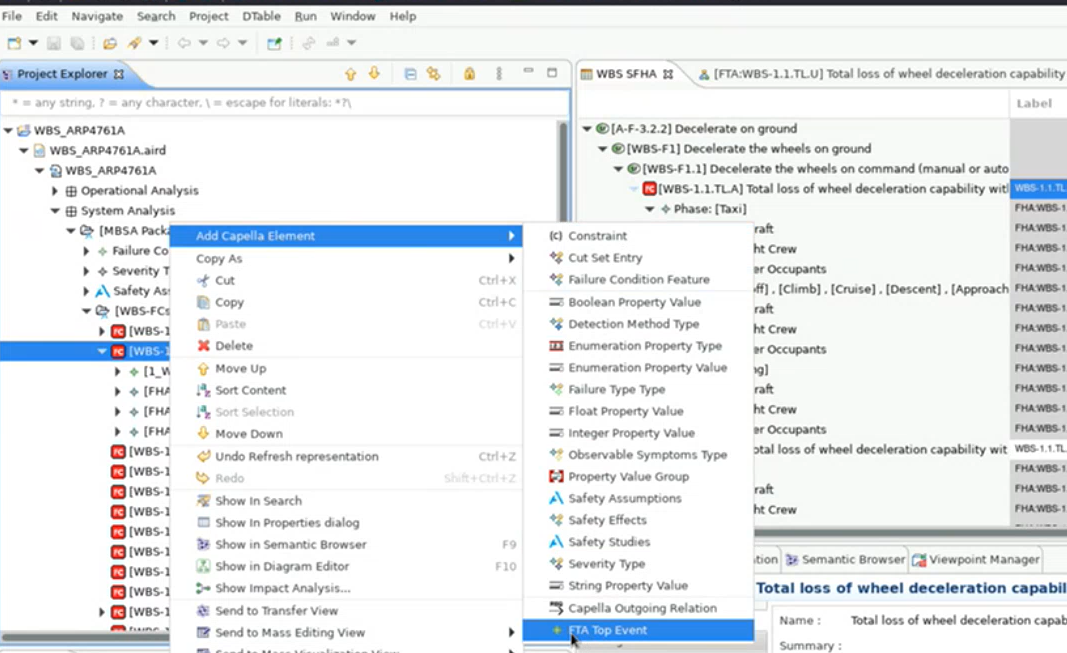
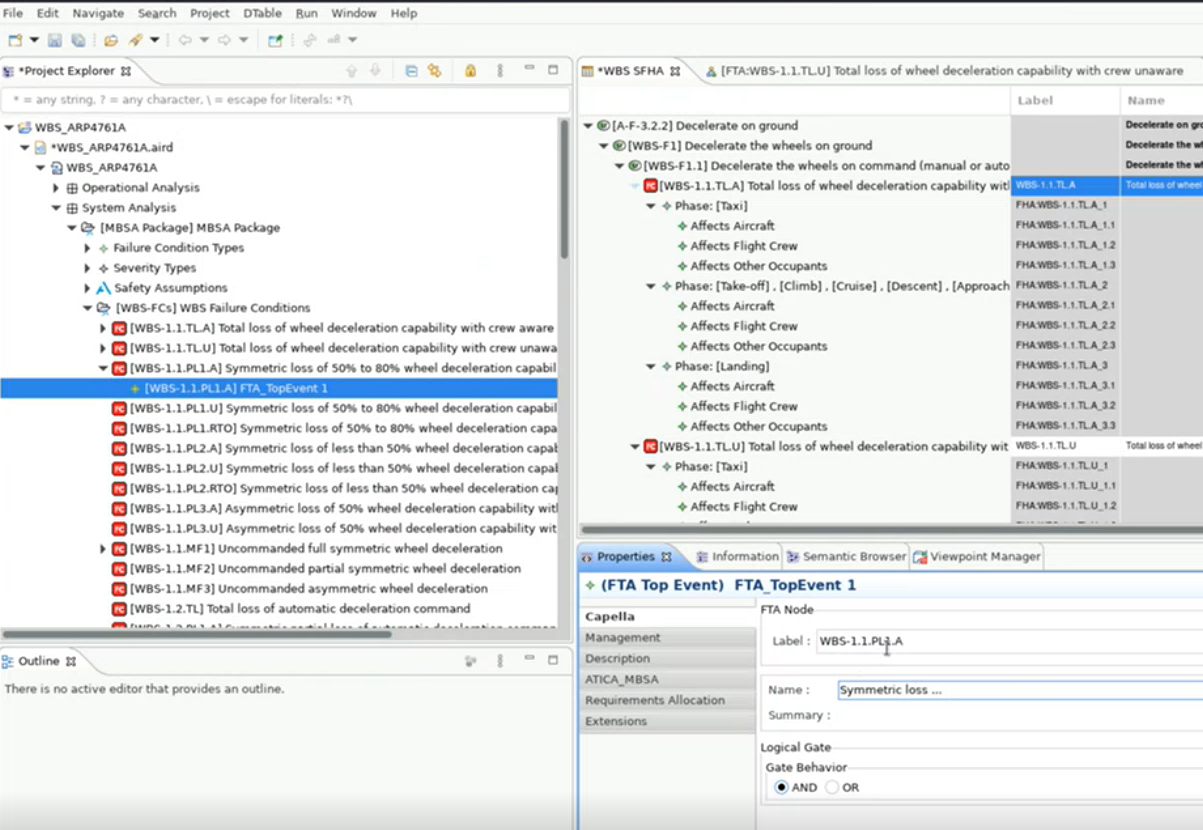
- Confirm that the top event appears below the selected failure element in the project tree.
- Open the top event's Properties.
- Set its Label, Name, Summary, and gate logic: AND or OR.
Create the diagram
The top event is a model element. Create a diagram to visualize and edit its tree.
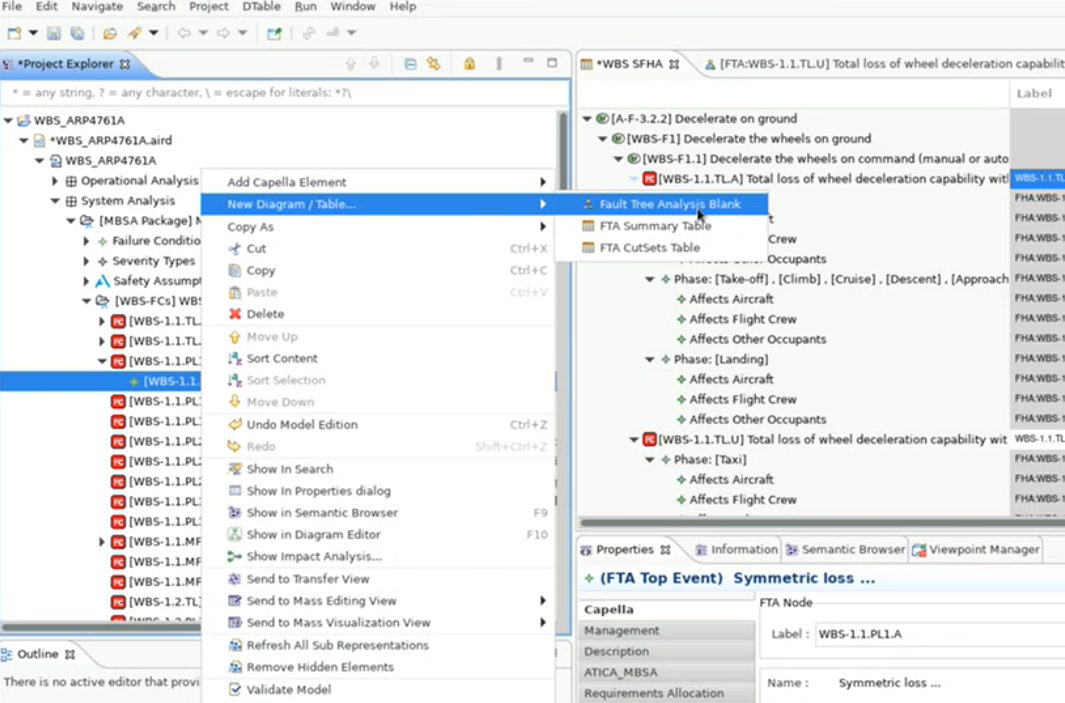
- Right-click the top-event element in the project tree.
- Select New Diagram/Table... > Fault Tree Analysis Blank.
- Name the diagram and select OK.
Configure the diagram grid
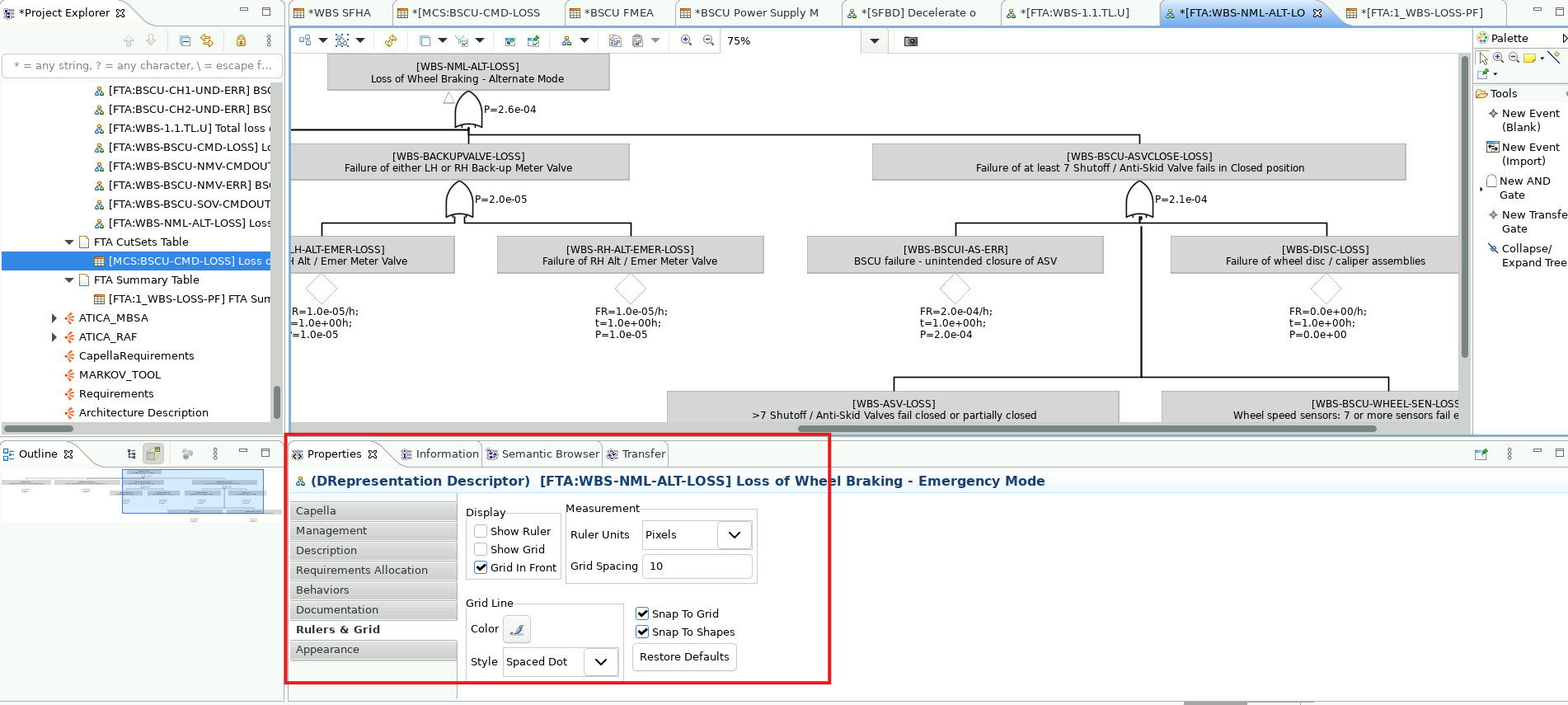
- Select an empty area of the FTA diagram.
- Below the diagram, open Properties > Rulers & Grid.
- Configure the ruler, grid, and snap settings.
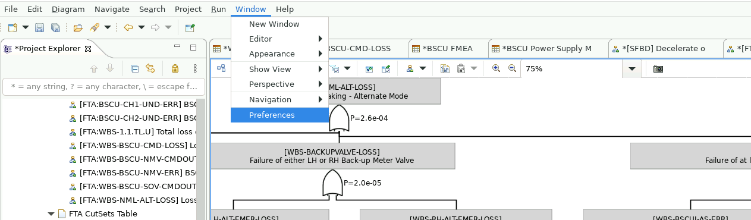
- Select Window > Preferences.
- Open Sirius > Sirius Diagram > Rulers and Grid.
- Configure the defaults and apply them.
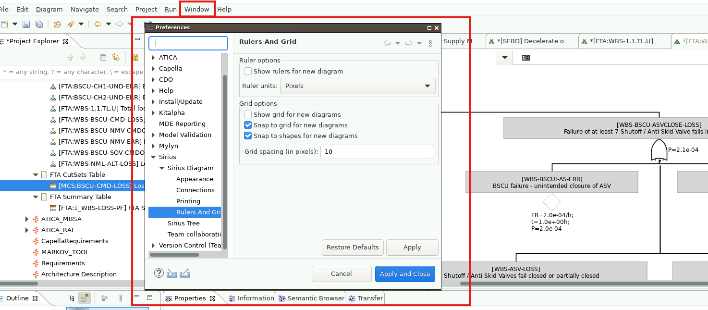
These preferences apply to new fault-tree diagrams, not diagrams that already exist.