Activate ATICA Viewpoints
Reference the ATICA viewpoints before following the analysis guides. If an ATICA element is unavailable in Capella, first check the viewpoint status.
- Open Viewpoint Manager.
- Reference all viewpoints required by the analysis.
- When using Fault Tree Analysis, reference
ATICA_MBSAbeforeATICA_FTA. - When using the Reliability module, reference
ATICA_MBSAbeforeATICA_RAF. TheATICA_RAFviewpoint is required to import a Bill of Materials from Excel. - In the Viewpoint Manager, confirm that each required ATICA package has the status Active.
- If a package has the status Unreferenced, right-click its State entry and select Reference.
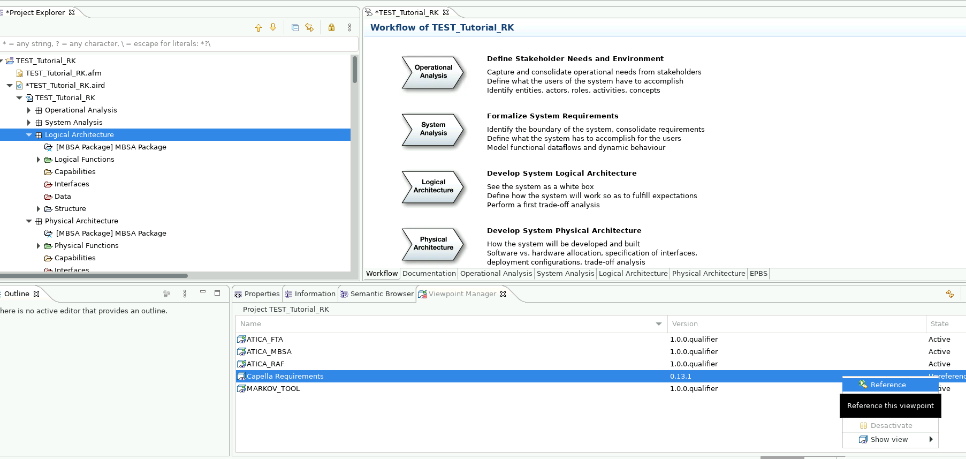
Reference the base viewpoint first
Viewpoint order matters. Reference ATICA_MBSA before ATICA_FTA, and reference ATICA_MBSA before the Reliability viewpoint, ATICA_RAF.