Create an FMEA from Failure Modes
Define failure modes on behavior physical components, establish their causes, effects, and detection methods, then create the FMEA table.
Define a failure mode
- Open Physical Architecture > Structure.
- Locate the component for which the failure mode is required.
- Right-click [Physical Component Extension] below that component.
- Select Add Capella Element... > Failure Mode.
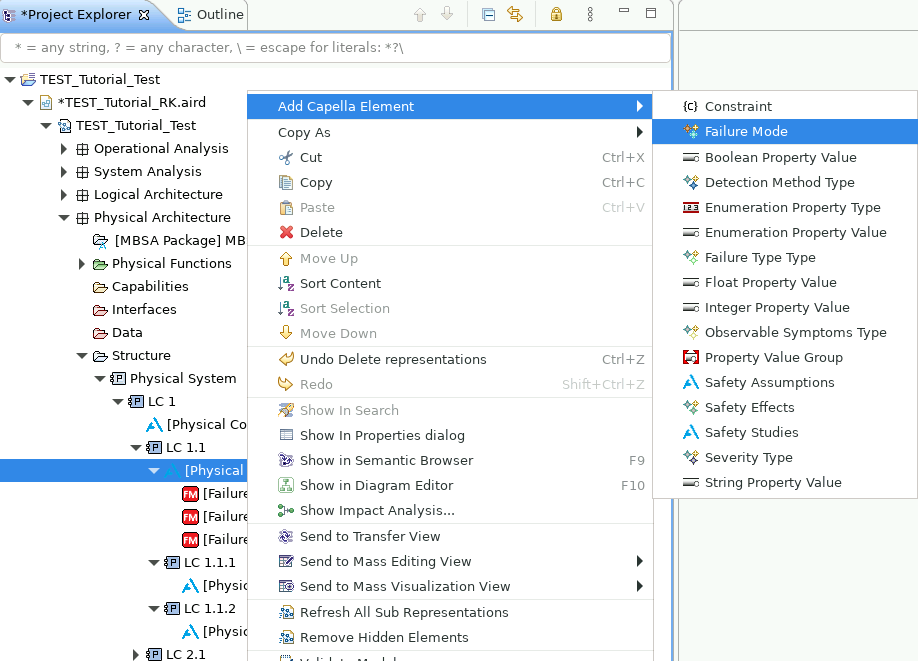
- Double-click the failure mode.
- In Properties, set its Name, Summary, and Label.
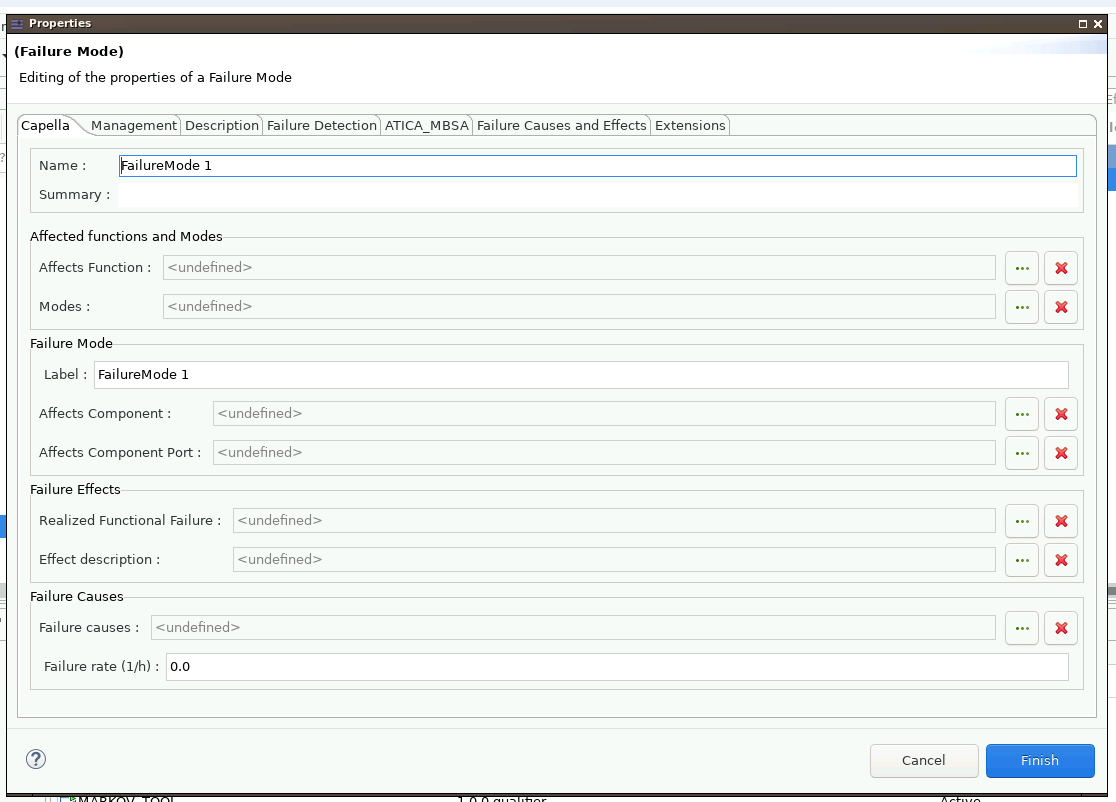
Define causes and effects
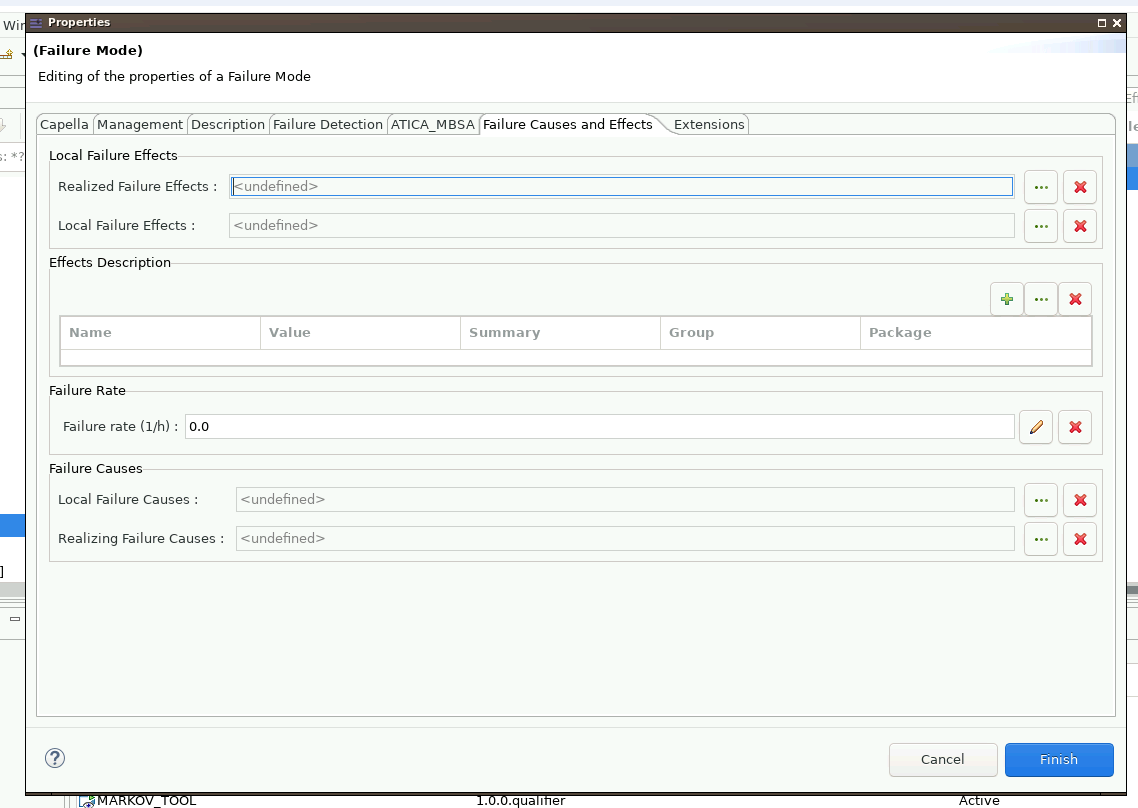
- Open the failure mode's Failure Effects and Causes tab.
- For relationships within the same layer, use the three-dot buttons to set Local Failure Effects and Local Failure Causes.
- For relationships that propagate to or from other layers, set Realising Failure Effects and Realising Failure Causes.
Define detection methods
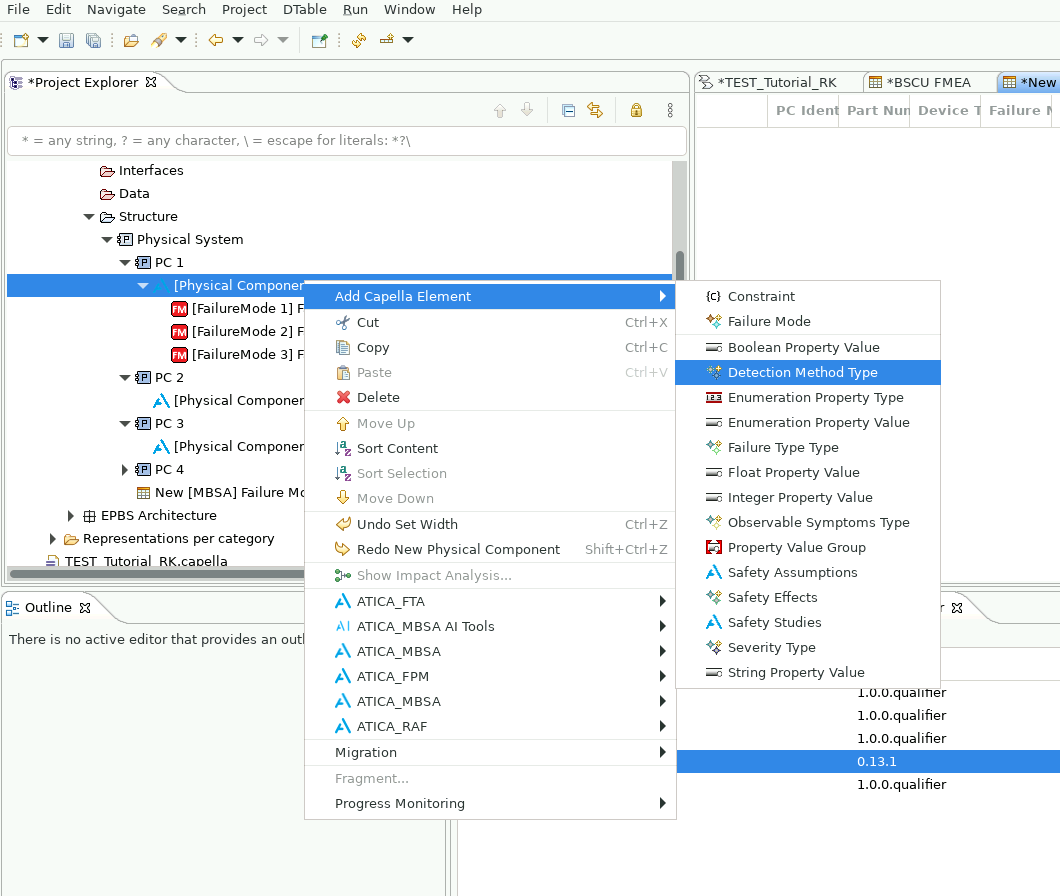
- Under the relevant physical component, right-click [Physical Component Extension].
- Select Add Capella Element... > Detection Method Type.
- Name this element for the group of detection methods. It acts as a container.
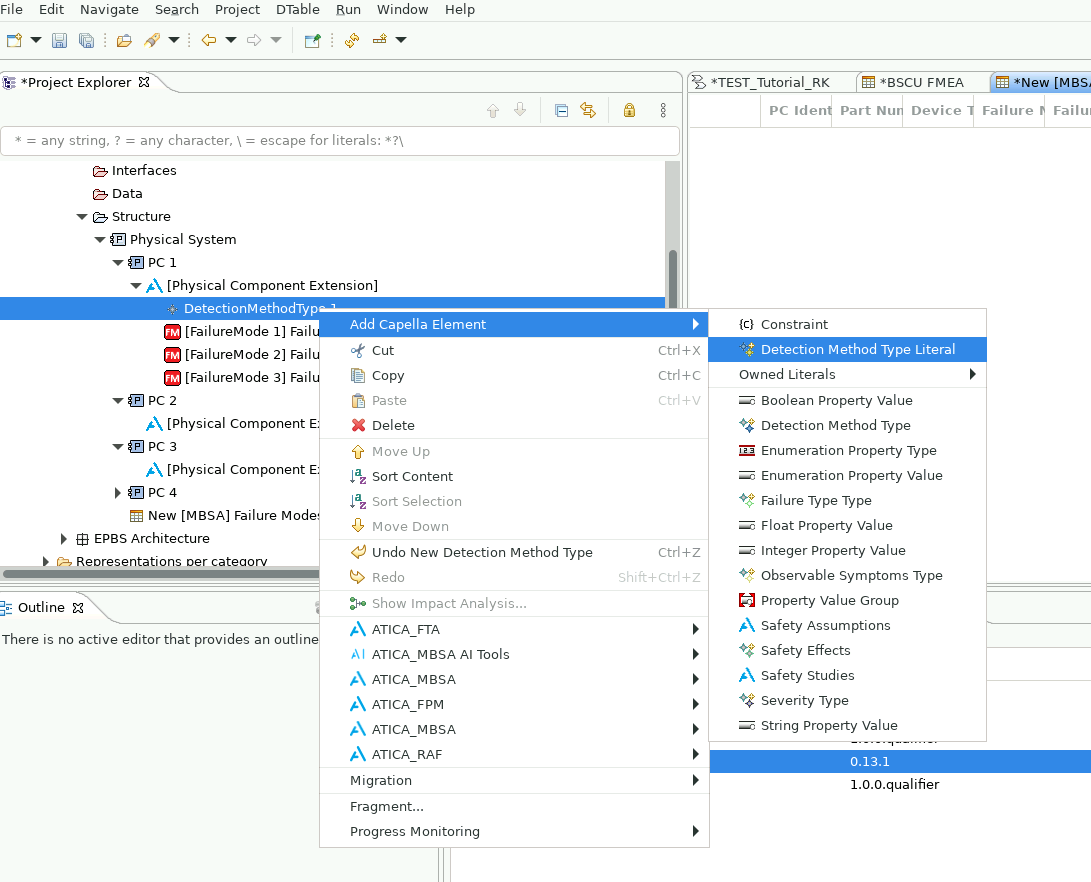
- Right-click the new container.
- Select Add Capella Element... > Detection Method Type Literal.
- Name the literal for the detection method.
- Repeat for every available detection method.
Create the FMEA table
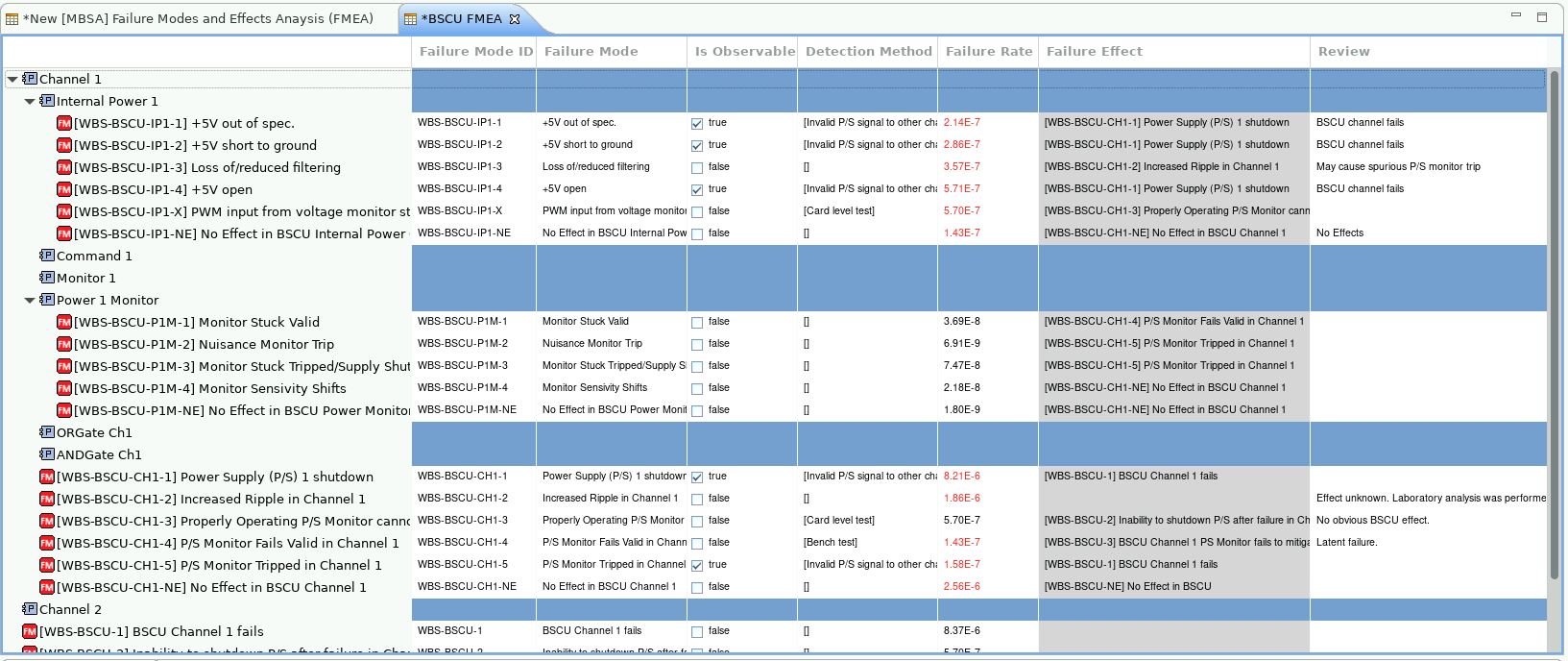
An FMEA table can be created at system, subsystem, or component level and includes the elements below the selected level.
- Open Physical Architecture > Structure.
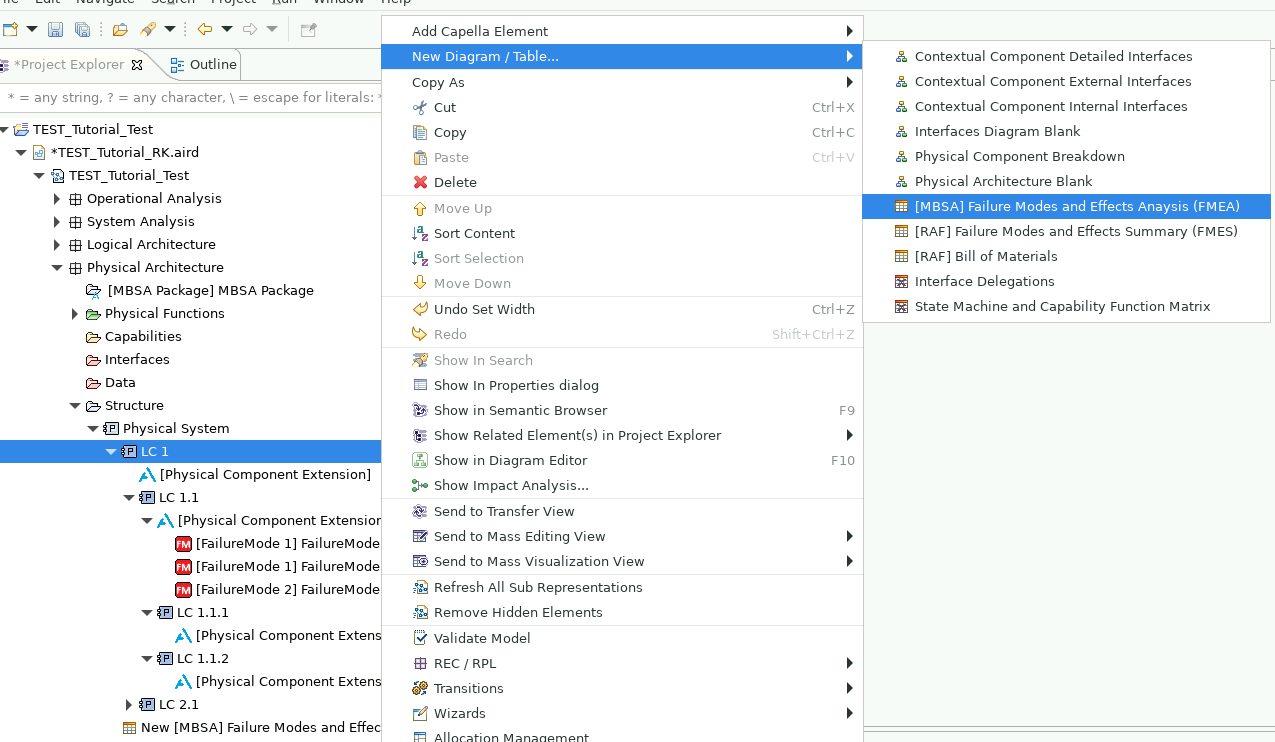
- Right-click the first user-defined element below the default Physical System, or another required analysis level.
- Select New Diagram / Table... > [MBSA] Failure Modes and Effects Analysis (FMEA).
Warning
Do not create the table from the root element. A table created from the root does not show the elements.
Add or edit table data
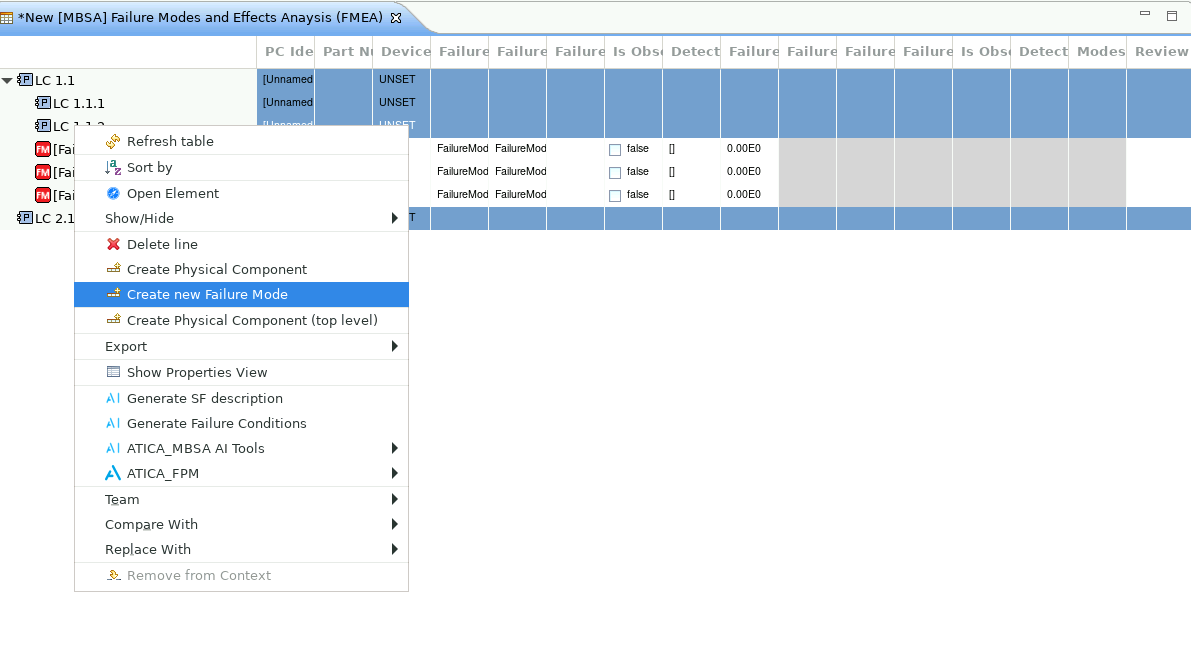
- To add a physical component, right-click the top table element and select Create Physical Component.
- To add a failure mode, right-click its parent element and select Create new Failure Mode.
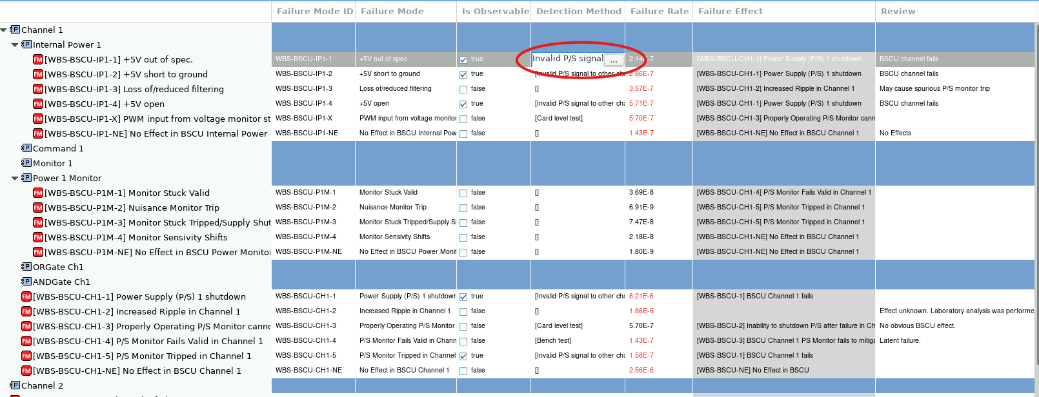
- Edit supported cells directly, or right-click a failure mode, select Open element, and edit its properties.
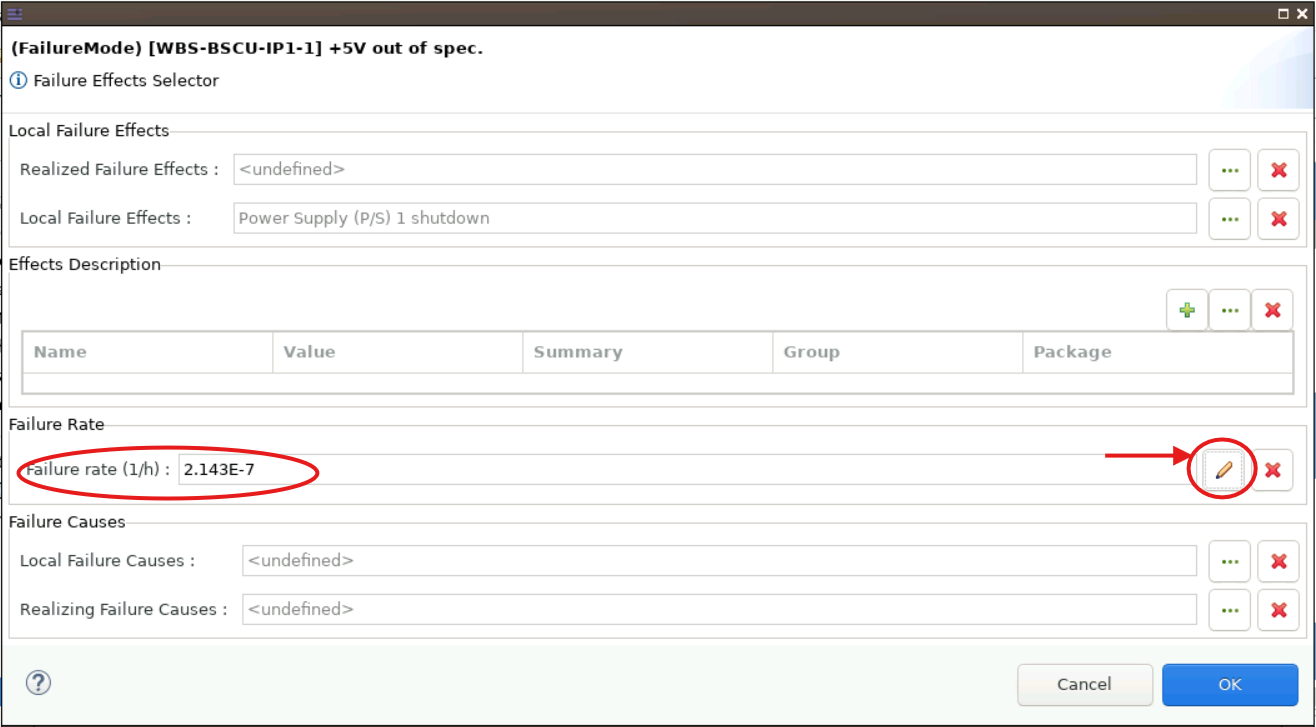
- To enter a failure rate manually, double-click the failure-rate cell and select the pencil icon in the dialog.
See the FMEA table reference for column meanings and failure-rate display behavior.