Create an FMEA in EPBS Architecture
After creating or importing the BOM with its failure rates, create the FMEA in the EPBS Architecture layer, define detection methods, and associate failure effects.
Create the EPBS FMEA table
- Open EPBS Architecture > Structure.
- Right-click the system or required analysis level.
- Select New Diagram / Table... > [RAF] Piece-Part Failure Modes and Effects Analysis (FMEA).
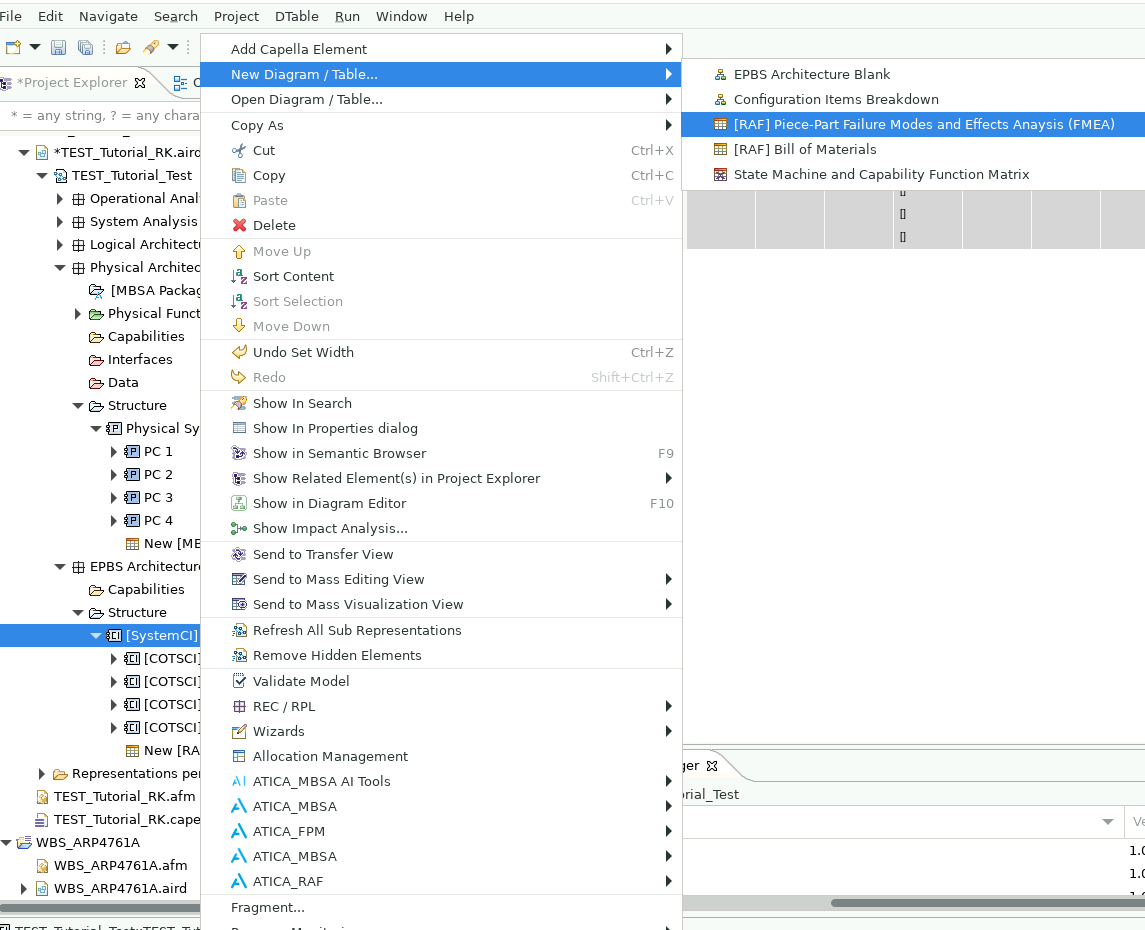
The Capella command uses the Piece-Part Failure Modes and Effects Analysis (FMEA) label. The resulting table is the FMEA at the EPBS Architecture layer and includes all elements below the selected level. See the FMEA table reference for its fields.
Define part-failure detection methods
- Under the relevant EPBS Architecture > Structure element, select Add Capella Element > Detection Method Type.
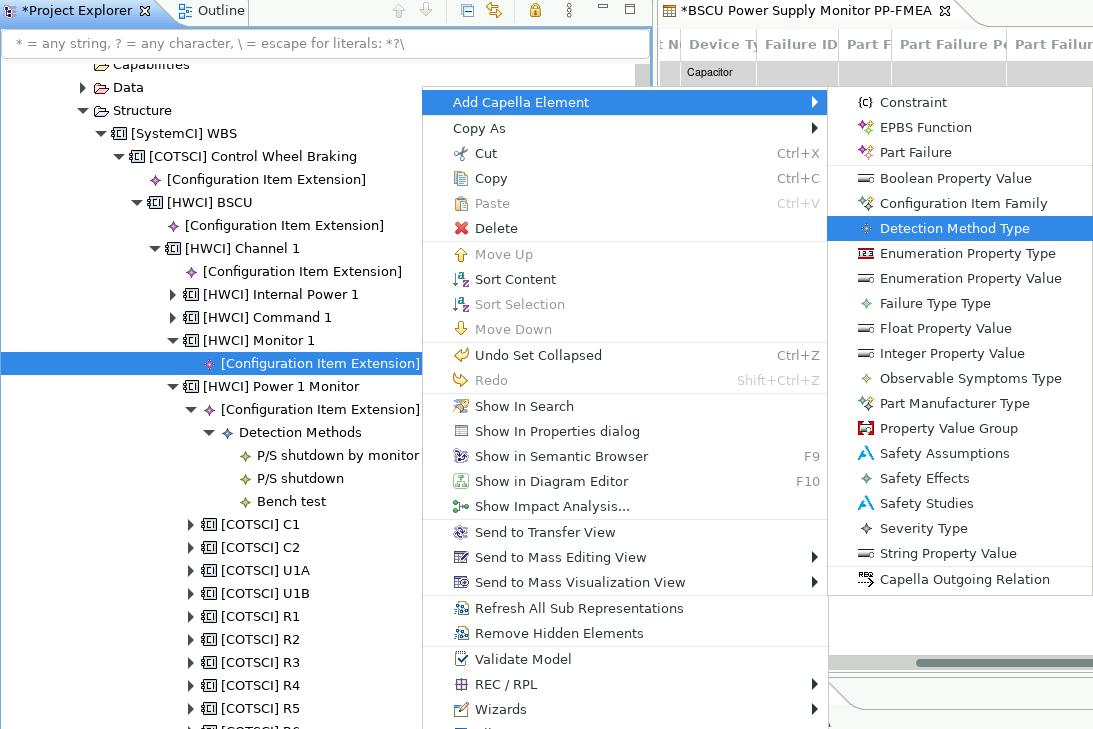
- Use this element as the detection-method container.
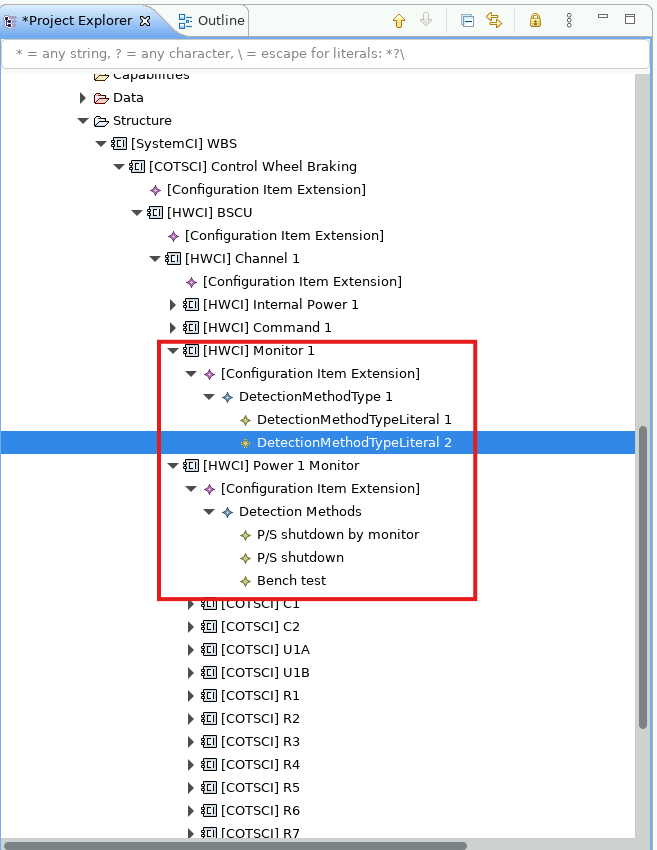
- Right-click it and select Add Capella Element... > Detection Method Type Literal.
- Define the detection method and repeat as required.
Associate a failure effect
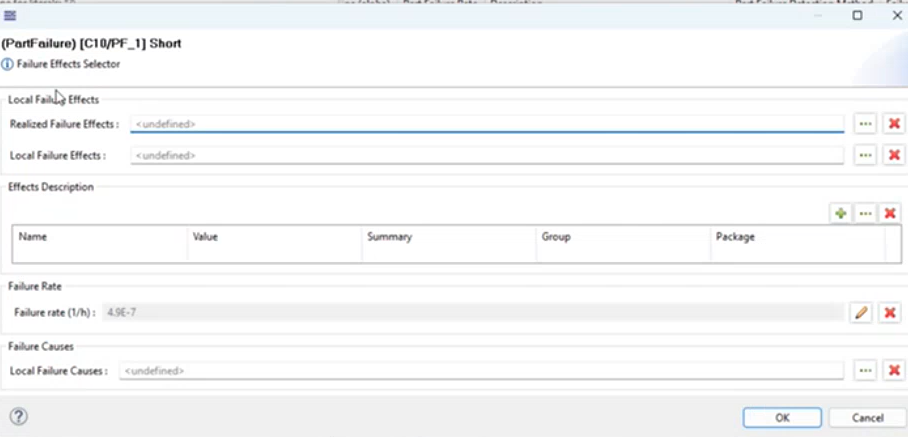
- Double-click the part failure's Failure Effect cell.
- In Failure Effect Selector, use the three-dot buttons to select local or realized failure effects.
- Select one or more failure modes.
- Confirm that the selected failure modes appear below the part failure in the table.