Prepare Physical Architecture for FMEA
Prepare the Physical Architecture structure used by the FMEA. Define it directly, or transition an existing Logical Architecture structure into Physical Architecture.
Define the physical structure directly
- Open Physical Architecture > Structure.
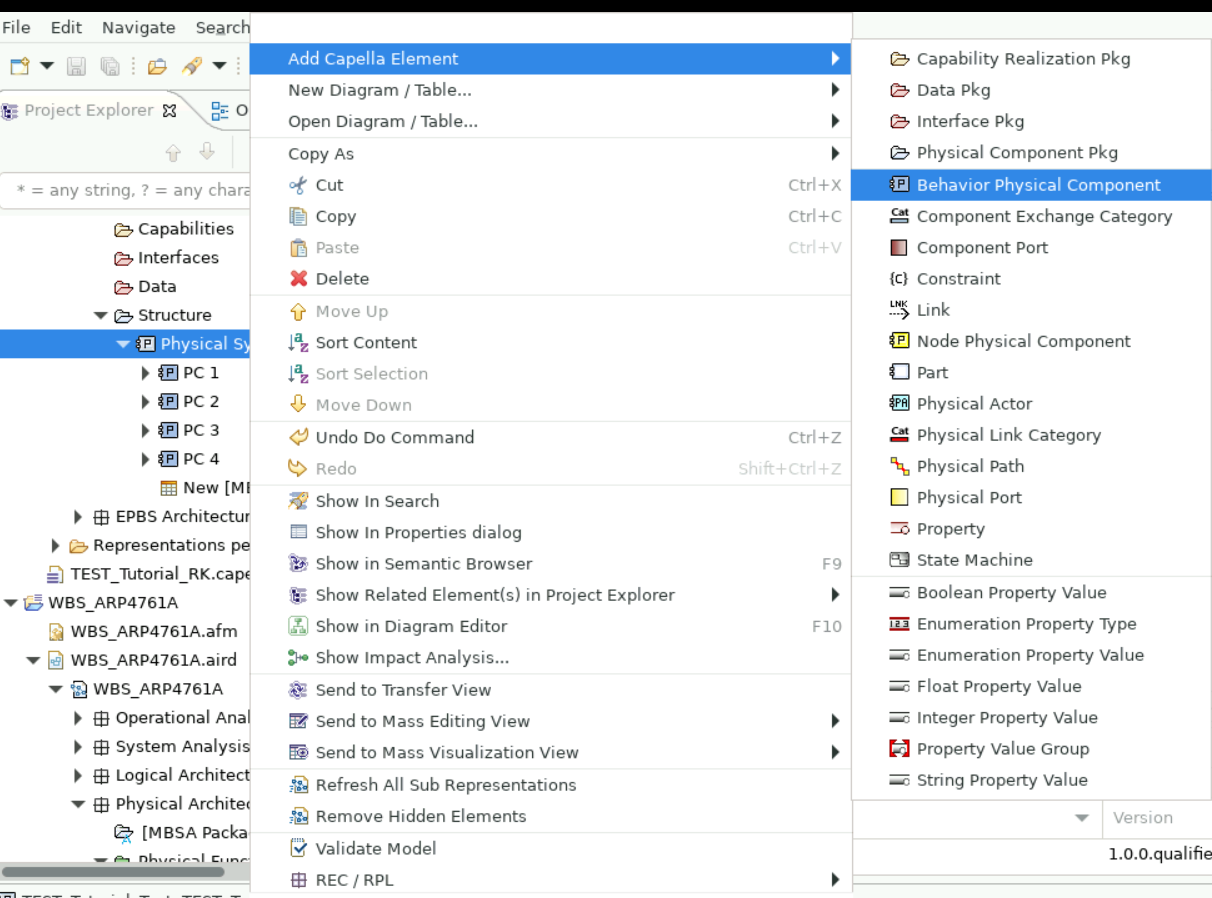
- Right-click Physical System.
- Select Add Capella Element > Behavior Physical Component.
- Double-click the new element and set its name.
- Repeat to define the required system, subsystem, and component hierarchy.
Warning
Use Behavior Physical Component. FMEA tables do not work correctly when Node Physical Component is used instead.
Transition an existing logical structure
- Open Logical Architecture > Structure.
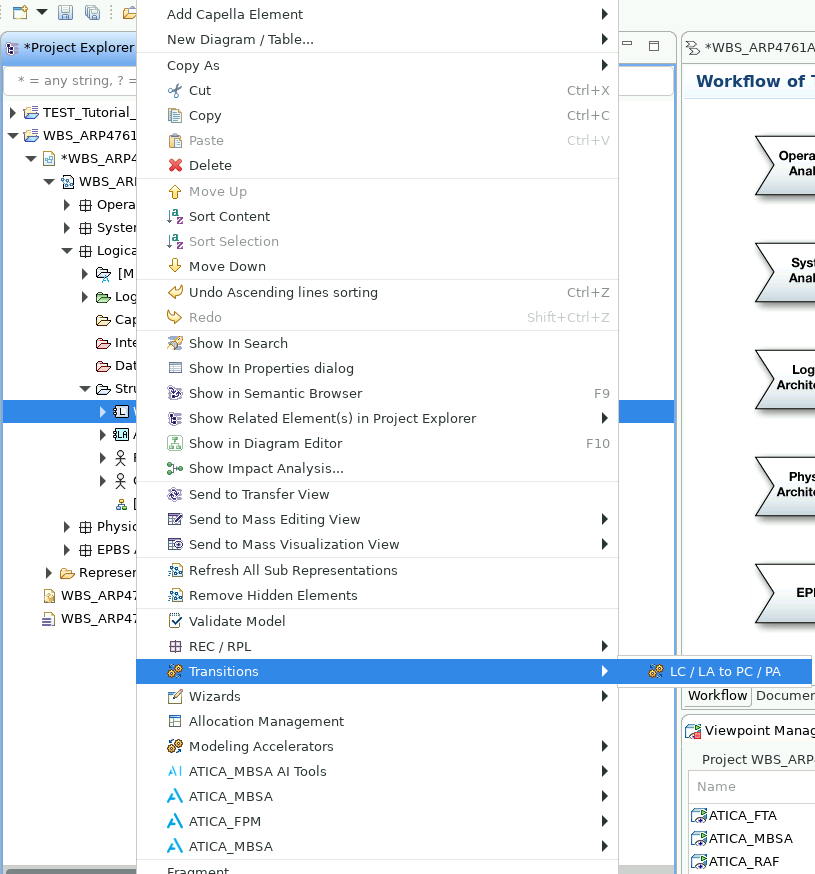
- Right-click the top structure element.
- Select Transitions > LC/LA to PC/PA.
- In the transition window, select every element that must be transitioned.
- Select Apply.
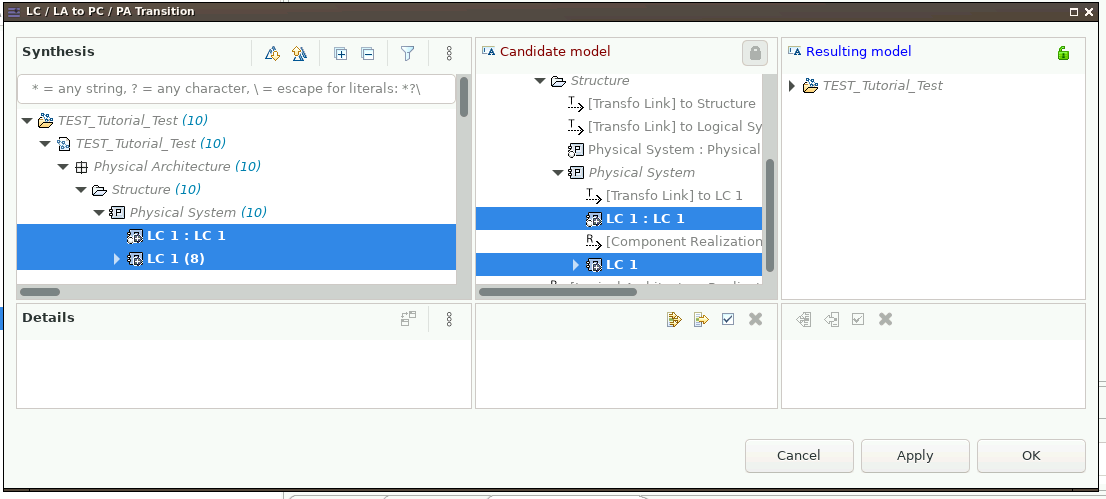
- Confirm that the selected elements appear under Physical Architecture > Structure.
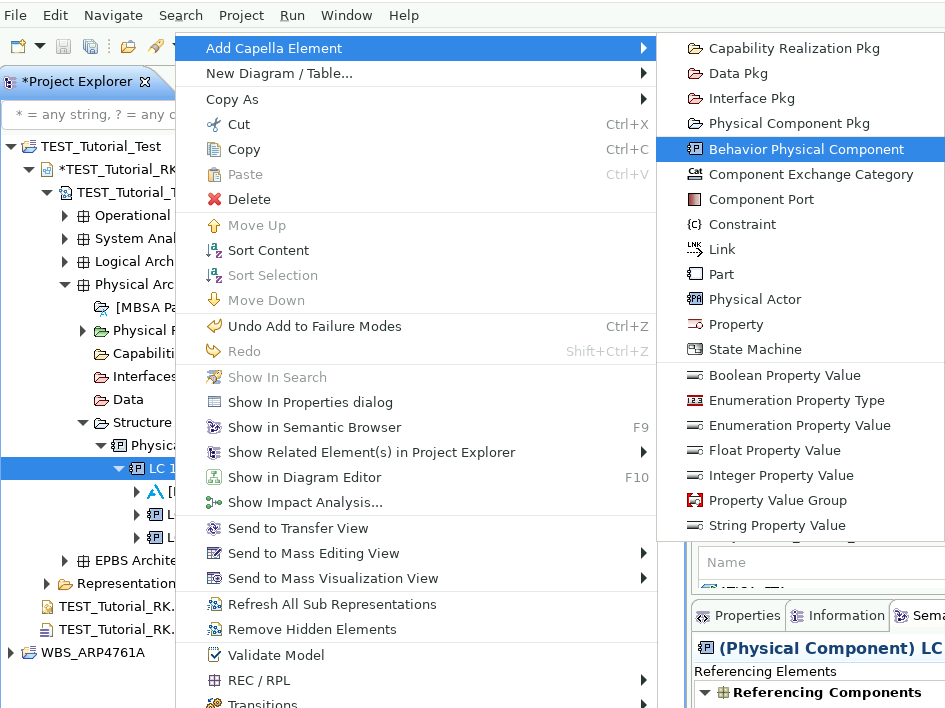
- Add further Behavior Physical Component elements where more physical detail is needed.
The FMEA itself is created in Physical Architecture after the transition.